crimestape software
recents
faq
beginners guide
helpful websites
safety enquires
zip
adobe ungeniune
changing versions
installation paths
maxon red giant
software & plugins
mac
windows
installation tutorials
mac
windows
the software & plugins shared on this site were originally sourced and provided by satvrn.li / discord.gg/satvrn and we are not claiming their efforts as our own.
the text pages shared here have been rewritten by crimestape, modelled off the information satvrn provided.
we truly appreciate the efforts satvrn dedicated to the editing community and we are aiming to do the same.
crimestape/changing versions
changing after effects versions
It is completely fine to have two (or more!) versions of after effects installed at the same time and is actually the easiest way to transfer things!
1. Install the version of after effects you want to upgrade to.
2. Follow the steps below to ensure everything is transferred fully.
3. Uninstall your old version.
plugins
common pluginsall plugins found in the "common" folder will automatically transfer over to each version of after effects you install. this includes the sapphire, red giant, and bcc plugins.to check this, and see what else is included, use the following file pathswindows: C:\Program Files\Adobe\Common\Plug-ins\7.0\MediaCore
mac: Library/Application Support/Adobe/Common/Plug-ins/7.0/MediaCore
local pluginsall plugins installed locally are only installed on each specific version of after effects. these do not trasnfer automatically and will need to be copied over to each new version you install.to check this, and transfer them to a new version, use the following file paths:windows: C:\Program Files\Adobe\Adobe After Effects [year]\Support Files\Plug-ins
mac: /Applications/Adobe After Effects [year]/Plug-ins/1. Open the folder listed above.
2. Copy everything except these folders:
- (AdobePSL)
- Cineware by Maxon
- Effects
- Extensions
- Format
- Keyframe
3. Paste the copied files and folders into the plugins folder for your new version of after effects.please note: some plugins may install inside the effects folder. if you think you are missing some after following these steps, go back and check inside this folder and then copy those files to your
presets
presets do not automatically transfer between versions, however the process to do so is the same as local plugins!to find your presets, use the following file paths:windows: \Documents\Adobe\After Effects [year]\User Presets
mac: ~/Documents/Adobe/After Effects [year]/User Presets1. Open the folder listed above.
2. Copy all of the files and folders in that folder.
3. Paste the copied files and folders into the presets folder for your new version of after effects
extensions
any extensions installed can be read by all versions of after effects. these do not need to be transferred
scripts
any scripts installed do not transfer between versions, however the process to do so is similar to presets.to find your scripts, use the following file paths:
windows: C:\Program Files\Adobe\Adobe After Effects [year]\Support Files\Scripts\ScriptUI Panels
mac: /Applications/Adobe After Effects [year]/Scripts/ScriptUI Panels1. Open the folder listed above.
2. Copy all of the files and folders in that folder.
3. Paste the copied files and folders into the ScriptUI folder for your new version of after effects.
crimestape/installation paths
after effects installation paths
all of the file paths written here use 2026 as an example to make things as clear as possible.
if you aren't using after effects 2026, simply put your version year in place of it instead!
windows
presetsuser presets: \Documents\Adobe\After Effects 2026\User Presetsany presets you save whilst editing will be in this folder.
if you download preset files online from payhip, giveaways, etc, they need to be put into this folder.default presets: C:\Program Files\Adobe\Adobe After Effects 2026\Support Files\Presetspresets saved in this folder are the ones that come natively with after effects. presets should not be added to or deleted from this folder.presets file extension: .ffx
pluginslocal plugins: C:\Program Files\Adobe\Adobe After Effects 2026\Support Files\Plug-insall plugins installed locally are only installed on each specific version of after effects. these are the plugins that need to be reinstalled for each new version of after effects you download.common plugins: C:\Program Files\Adobe\Common\Plug-ins\7.0\MediaCoreall plugins installed in the common folder are the plugins that automatically install on each new version of after effects you install.plugins file extension: .aex
extensionssystem folder 1: C:\Program Files\Common Files\Adobe\CEP\extensions
system folder 2: C:\Program Files (x86)\Common Files\Adobe\CEP\extensionsuser folder: C:\Users%USERNAME%\AppData\Roaming\Adobe\CEP\extensionsthe extensions folder typically consists of multiple sub folders, for example CSXS and META-INF.
scriptsdockable scripts: C:\Program Files\Adobe\Adobe After Effects 2026\Support Files\Scripts\ScriptUI Panelsnon-dockable scripts: C:\Program Files\Adobe\Adobe After Effects 2026\Support Files\Scriptsthe majority of scripts are dockable, it's very unlikely that you'll be using a non-dockable script unless you're a developerscripts file extension: .jsx or .jsxbin
mac
presetsuser presets: ~/Documents/Adobe/After Effects 2026/User Presetsany presets you save whilst editing will be in this folder.
if you download preset files online from payhip, giveaways, etc, they need to be put into this folder.default presets: /Applications/Adobe After Effects 2026/Presetspresets saved in this folder are the ones that come natively with after effects. presets should not be added to or deleted from this folder.presets file extension: .ffx
pluginslocal plugins: /Applications/Adobe After Effects 2026/Plug-ins/all plugins installed locally are only installed on each specific version of after effects. these are the plugins that need to be reinstalled for each new version of after effects you download.
there is a further folder, /Effects , where some plugins may be installed.common plugins: /Library/Application Support/Adobe/Common/Plug-ins/7.0/MediaCoreall plugins installed in the common folder are the plugins that automatically install on each new version of after effects you install.plugins file extension: .plugin
extensionssystem folder: /Library/Application Support/Adobe/CEP/extensionsuser folder: /Users/<user>/Library/Application Support/Adobe/CEP/extensionsthe extensions folder typically consists of multiple sub folders, for example CSXS and META-INF.
scriptsdockable scripts: /Applications/Adobe After Effects 2026/Scripts/ScriptUI Panelsnon-dockable scripts: /Applications/Adobe After Effects 2026/Scriptsthe majority of scripts are dockable, it's very unlikely that you'll be using a non-dockable script unless you're a developer
crimestape/helpful websites
helpful websites
unsafe sites & sources
https://fmhy.net/unsafesites
https://rentry.co/megathread-unsafe-sites
useful beginner guides
https://fmhy.net/adblockvpnguide - a guide to adblockers, antivirus, privacy, and more
https://fmhy.net/beginners-guide#torrenting - torrenting for beginners
https://reddit.com/r/videoediting/wiki/codecsandcontainers - video codecs explained
https://links.bentovid.com/ - editing resources megathread
https://www.amv101.com/home - a guide to amv editing
free / open source software
https://nmkd.itch.io/flowframes - increase fps
https://handbrake.fr - multipurpose, well supported video converter
https://www.videolan.org - vlc media player, supports most video formats
https://obsproject.com - free, open source screen recorder and streaming tool
search tools
https://tineye.com/ - reverse image search tool
https://github.com/0x90d/videoduplicatefinder - find duplicate videos in your drive
https://getyarn.io/ - find and download tv, movie, and music video clips by searching the words
https://trace.moe/ - find the episode and time stamp of an anime from a screenshot
time-saving resources
https://www.remove.bg/ - auto remove the background of an image
https://vocalremover.org/ - isolate the vocals and background from an audio
https://github.com/AaronFeng753/Waifu2x-Extension-GUI - video, photo, and gif enhancement
https://ezgif.com/ - turn videos into gifs
https://www.photopea.com/ - free online photo editor
https://8mb.video/ - compresses files to under 8mb
downloaders
https://jdownloader.org/jdownloader2 - download tool
https://cobalt.tools/ - browser-based downloader with multi-site support
https://stacher.io/ - download tool built with yt-dlp
file sharing & hosting
https://catbox.moe - share files up to 200mb. free with no expiration
https://pixeldrain.com - share files up to 10gb. free, but files expire 60 days after last download
https://gofile.io - share up to 100gb a month. free, but files expire 10 days after last download
https://streamable.com - quickly upload and share videos. free, but videos expire after 90 days
https://imgbb.com - share images up to 64mb. free with no expiration
cloud storage
https://www.dropbox.com - 2gb of free cloud storage
https://drive.google.com/ - 15gb of free cloud storage
https://mega.io - 20gb of free cloud storage
paid plans are available with increased storage and benefits
fonts
https://www.myfonts.com/WhatTheFont - identify a font from an image
https://www.dafont.com/ - browse and download fonts
https://fontesk.com/ - browse and download fonts
crimestape/faq
frequently asked questions
2. Unable to access PixeldrainPixeldrain is blocked in Italy amongst certain ISP, simply download using the GoFile mirror.
3. Is [plugin] compatible with my After Effects version?The majority of plugins available will work on any standard version of After Effects (2020+). Scripts and extensions will vary; look into their developer notes.
4. How can I resolve "This unlicensed Adobe app will be disabled"?This alert is fairly common and easily fixable.Click here to learn how to remove it.
5. What will happen if I switch After Effects versions?Click here to learn how you can make a smooth transition when upgrading versions without losing any of your plugins or presets. It's easier than you might think.
6. What are plugins and which ones should I download?Click here for starter recommendations. Ultimately, it entirely depends on your style.
7. Which version of After Effects should I get?The newest version (features) is always worth getting as long as you have enough RAM and a good CPU, click here for more information.
8. Can I download cracked plugins despite having a legitimate copy?Yes. Why are you paying for it though? XD
9. There is a watermark when I use a plugin?A watermark, typically a red X means that whatever plugin you're using is unlicensed. This indicates you did not install it properly. Make sure to properly read the instructions or refer to our support server for assistance.
10. My software says it can be updated. Should I click accept?No, these are official pop-ups. The software will no longer be licensed if you do so.
11. I have duplicate effects from a plugin. What do I do?This indicates you have two versions of a plugin installed, or in different locations. Choose and delete one of the paths shown in your error. For example, Sapphire:C:\Program Files\Adobe\Common\Plug-ins\7.0\MediaCore\Sapphire Plug-ins
C:\Program Files\Adobe\Common\Plug-ins\7.0\MediaCore\BorisFX\Sapphire Plug-insYou can either delete one of these folders, though, consider removing both of them and reinstalling if you're attempting to upgrade a plugin to be safe.
12. I installed an extension (e.g. Flow) that appears in the list, but nothing happens when I click on it.Ensure that the CEP (Common Extensibility Platform) is enabled.Windows:Close After Effects.
Download this file and run it.Mac:Close After Effects and open Terminal.
Copy and paste the text below:defaults write com.adobe.CSXS.10 PlayerDebugMode 1
defaults write com.adobe.CSXS.11 PlayerDebugMode 1
defaults write com.adobe.CSXS.12 PlayerDebugMode 1
defaults write com.adobe.CSXS.13 PlayerDebugMode 1Hit enter and you're done.13. Generative AI is not working. Help!AI Tools such as Generative Fill will not work on cracked versions of Photoshop due to the fact Adobe use a credit system for verification specifically for it.
14. Missing CEP folder.Make sure your installation isn’t faulty, and that scripting and expressions are enabled in After Effects.Open After Effects and enable “Allow Scripts to Write Files and Access Network”.Windows: Edit > Preferences > Scripting & Expressions
Mac: After Effects > Preferences > Scripting & ExpressionsCreate the CEP folder manually:Go to the location below and create a CEP folder, and inside that CEP folder, create another folder named extensions.Mac: /Library/Application Support/Adobe/
Windows: C:\Program Files (x86)\Common Files\Adobe
15. Magic Bullet Look presets not appearing same as the original coloring.Many Looks Builder tools were updated in the 2025 release, causing older presets to appear overexposured.Open Looks Builder.
At the top at "In/Out Color Space", press the dropdown menu.
Select "1D sRGB (Video)"
Windows
1. "Windows cannot complete the extraction. The destination file could not be created"This error occurs if a file hasn't been properly extracted. Please follow the instructions written at the top of our Windows page regarding how to use 7-Zip.
2. "An unexpected error is keeping you from copying the file, Error 0x80004005"This error occurs if a file hasn't been properly extracted. Please follow the instructions written at the top of our Windows page regarding how to use 7-Zip.
3. "The application was unable to start correctly (Oxc0000142). Click OK to close the application."Starting from version 24.1, After Effects requires your processor to support Advanced Vector Extensions 2 or else the software will not launch.If your processor does not support AVX2, you'll need to downgrade to AE 2023 or lower.
4. "The system cannot find the path specified."Move the folder to your desktop and try again. If that does not work, remove the "/" symbol from the folder name if included.
5. Error Code: 24 (Adobe)Extract the iso file itself (Right click > 7-Zip > Extract here)
Temporarily turn off your internet.
Open the extracted folder and run Set-up.exe again.6. "AfterFX.exe - System Error. The code execution cannot proceed because MSVCP110.dll was not found."Your computer is missing necessary components. Install Microsoft Visual C++ Redistributable 2012: https://learn.microsoft.com/en-us/cpp/windows/latest-supported-vc-redist and restart your computer.
7. DaVinci Resolve Studio not starting (Windows).Rename OFX folder "Plugins" (C:\Program Files\Common Files\OFX) to "Plugins.origin".
8. "The installation cannot continue as the installer file may be damaged. Download the installer file again."This error occurs if a file hasn't been properly extracted. Please follow the instructions written at the top of our Windows page regarding how to use 7-Zip.If it is properly extracted, it may mean you have leftovers from a previous installation. Use the official Adobe Creative Cloud Cleaner Tool to get rid of previous installations.
9. Error Code 127 (Adobe)Error code 127 indicates that the installer isn't able to extract the zip file in the adobeTemp folder. This can happen due to a lack of disk space or if the necessary permissions are unavailable. Sometimes, even antivirus software can block the extraction process in the temp directory.Navigate to the adobetemp folder located at <Root Drive>\adobeTemp. In the following example, the root drive is the C: drive.TIPIf the folder doesn't exist, you can also create the folder.Right click anywhere on screen > Properties.
In the Security tab, ensure that permissions for System and Administrators have Full Control.
Turn off your antivirus temporarily or whitelist it.10. "Patching Error - Pattern in Resolve. exe matched 0 times in .text section. Expected exactly 1."This error occurs when a user mistakenly installs the free version of DaVinci Resolve and then runs our patch, which is intended for the Studio version. Ensure that you install the correct version.
11. Windows Defender is blocking an application from running and I don't know how to stop it?You can either exclude or whitelist the file, disabling Defender completely is not recommended.
Exclude - video tutorialClick the Windows key and write "Settings".
Go to Privacy & security > Windows Security > Virus & Threat Protection.
Under Virus & threat protection settings, click "Manage settings".
Under Exclusions, click on "Add or remove exclusions".
Choose your installer/installation folder.Whitelist - video tutorialOpen Virus & threat protection.
When the blocked file shows up under current threats, click it and on Action options, select "Allow on device".
Finalize decision by pressing "start actions".12. I’m unable to launch specific games (e.g Valorant) after Adobe installation(s)?If after installation you start having problems with programs and games that worked fine before, simply delete the following registry key:HKEYLOCALMACHINE\SOFTWARE\Microsoft\Windows NT\CurrentVersion\Image File Execution Options\DevOverrideEnablethen reboot your system.If using GenP, you will have a toggle in-app for the Registry Key.Certain games and other sensitive apps that use anti-cheat mechanisms may detect and flag DLL redirection as suspicious activity which may result in false positives.
Source: https://wiki.dbzer0.com/genp-guides/guide/#troubleshoot-section
13. DeleteFile failed; code 5. Access is denied. (Red Giant Service.exe)Open Task Manager (Ctrl+Shift+Esc)
Search Red Giant Service & MxNotify
Right click > End tasks
Try again.14. "Error copying file from [...] Red Giant Service.exe" (Maxon App)Open Task Manager (Ctrl+Shift+Esc)
Search Red Giant Service & MxNotify
Right click > End tasks
Try again.
MacOS
1. "After Effects can't continue: unexpected failure during application startup."After Effects 2021 and below are not compatible with OS14 and higher. You won’t be able to launch these versions of After Effects. Your only option is to install After Effects 2022 or newer.If this appears on 2022+:
https://community.adobe.com/t5/after-effects-bugs/after-effects-23-6-and-24-0-not-starting-on-macos-14-sonoma/idi-p/14139194#comments2. "The following plugins are installed but are not yet compatible with this version".This issue occurs when a user installs an outdated plugin only designed for Intel Macs on After Effects that is running natively on Apple Silicon (M1+ on After Effects 2022+).Only a small number of plugins on our site are not supported, click here for a more in-depth explanation and your choices moving forward.
3. "Is damaged and cannot be opened, you should eject the disk image / you should move it to the trash."
If the error occurs when running an application file:Drag the installer to your desktop, open Terminal and input:sudo xattr -crDrag the installer file next to the command. There must be a space between the command and the file.
Hit enter and submit your Mac password. Passwords are not displayed when typed into Terminal, you won't see this.If a plugin shows this error inside After Effects:Open Terminal and input:sudo xattr -rd com.apple.quarantineDrag the plugin file next to the command, there must be a space between the command and the file.Hit enter and submit your Mac password. Passwords are not displayed when typed into Terminal, you wont see this.Still having issues? Try using Sentinel to solve the problem.
4. "The installation cannot continue as the installer file may be damaged. Download the installer file again."Right Click > Show Package Contents > Contents > MacOS > Install.
5. "You don't have XCode Command Line tools"Monters "23.6 fix.pkg" is unsupported on Sonoma, causing this error. You won't be able to run it.You can download and run this alternative patcher instead. Instructions are included.
6. "Error: couldn't find main entry point"This typically means the plugin you're trying to run is missing a key file it needs to start, or it’s not installed correctly. Refer to text instructions and/or visual guides and reinstall it from scratch.If seeing this with Twixtor 8, use the RE:Vision 2303 Bundle.Last Resort: Disable GatekeeperUse Sentinel to sign the plugin or disable gatekeeper, proceed with caution.
7. Failed with error code 133 (Adobe)Error 133 indicates insufficient disk space to download and install the applications. Free up some space or select another location for your app and try again.
8. "Cannot be opened because it is from an unidentified developer" / "because Apple cannot check it for malicious software" / "cannot verify that this app is free from malware".By default, macOS blocks most apps that aren’t from the App Store and lack signatures, even if they’re completely safe.
If the error occurs when attempting to run any sort of dmg or pkg file:Right-click the file (hold Control and click the file to bring up the menu)
Select "Open"
It will show a warning, but this time it will give you an “Open Anyway” button.If the error occurs for a plugin:Click the Apple logo in the top left corner
Go to System Settings
Open Security & Privacy
At the bottom of the window, look for a message saying the app/plugin was blocked
Click Allow AnywayYou might need to unlock settings by clicking the lock icon in the bottom left corner, and then entering your password.Still having issues? Try using Sentinel to sign or unblock the app.
9. "Unable to expand [X] into " ". (Error 79)"This error occurs if a file hasn't been properly extracted. Please follow the instructions written at the top of our Mac page regarding how to use Keka.
10. "There was a problem installing CCXProcess"Open Terminal
Copy and paste the following:sudo softwareupdate --install-rosetta --agree-to-licensePress enter. After Rosetta is installed, run the Adobe installer again.11. "The file “Patch.command” could not be executed because you do not have appropriate access privileges."Open Terminal.
Input the following:chmod +xInsert a space after the command.
Drop the file into Terminal.
Click on the Terminal window, and then press return.12. Error creating directory / unknown variable asesupportfilepath 1This error can appear when attempting to install Maxon plugins.Click Abort
Open Terminal
Input the following:sudo sh /Volumes/Red\ Giant\ Installer/Red\ Giant\ Installer.app/Contents/MacOS/installbuilder.sh --mode textEnter you password when prompted, and then hit Y if prompted.13. Error Code 127 (Adobe)Error code 127 indicates that the installer isn't able to extract the zip file in the adobeTemp folder. This can happen due to a lack of disk space or if the necessary permissions are unavailable. Sometimes, even antivirus software can block the extraction process in the temp directory.TIPOpen the folder where you want to see the hidden files, and select "Command"+"Shift"+"." keys simultaneously.Navigate to the folder located at: /System/Volumes/<Root Drive>/.adobeTemp
Go to File > Get Info, then select Sharing & Permissions.
Select system from the Name column. Ensure that is has Read & Write privileges.
Turn off your antivirus temporarily or whitelist it. You can also free up some space and retry.14. Error: SyntaxError: JSON Parse error: Unexpected EOF (-2700)Uninstall Creative Cloud with the Creative Cloud Cleaner Tool.
Navigate to: /Library/Application Support/Adobe/ and delete the folder "Caps".This folder stores installation records; if they’re corrupt, the installer crashes.Reinstall again.15. When I type my password in Terminal nothing happens?For security purposes your password is completely hidden in Terminal, type the password to unlock your Mac and hit enter as normal.
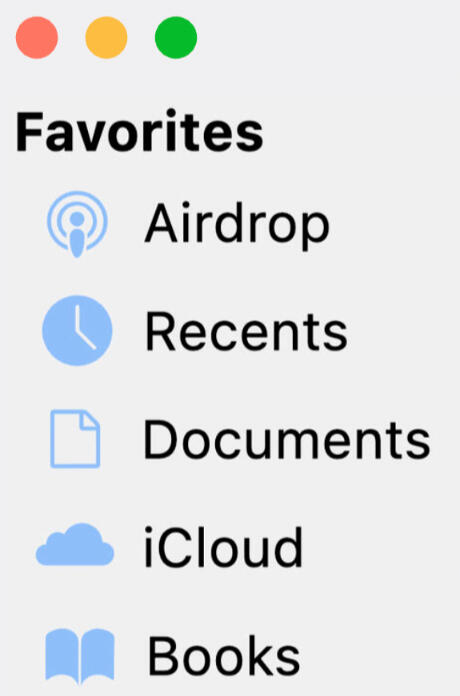
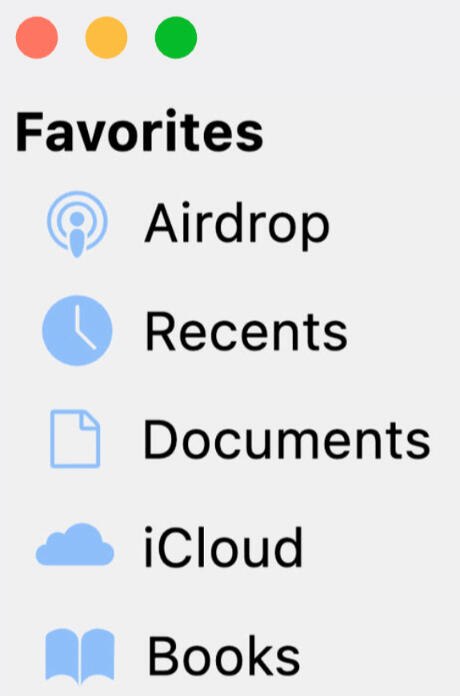
16. I can't find my Library folder in Finder.Library is hidden by default on Mac. To enable it, do this:Open Finder
In the top left go to Settings > Sidebar > Enable Hard Disks.
Now you'll find "Macintosh" on the left sidebar, and inside, your Library.17. "Adobe X wants to access key "Adobe Licensing Information“ in your keychain"Either submlit the password used to unlock your Mac and click allow, or deny.
crimestape/beginners guide
beginners guide
Specifications (Purchasing your first PC)If you’re looking to buy a new PC for After Effects and aren’t sure what to prioritize, this guide breaks things down into three simple tiers.Keep in mind: Each tier represents the minimum for that level of work, rather than looking at it as a single answer. Individuals may choose to spend more on certain components depending on their budget, personal priority for speed, and other uses for their computer.Key notes:After Effects benefits most from RAM and CPU, with the GPU becoming more important when using third-party effects.
After Effects prefers high clock speeds over extreme core counts.
RAM capacity is more important than type (DDR4 vs DDR5) when on a budget. DDR5 offers a slight speed boost and is worth the purchase if budget allows.
A PC is a big purchase. Consider consulting other editors for feedback before making a purchase; you can even visit our Discord.Low-End / Budget-FriendlyIdeal for young editors on a tight budget — suitable for entry-level editing and smaller compositions. Users should expect slower previews and render times with more complex effects.RAM: 16GB
Storage 512GB SSD (NVMe preferred)
CPU: Intel i5 (12th-13th gen) / AMD Ryzen 5 5600X / 7600
GPU: RTX 3050 / RX 6600 (6-8GB VRAM)Tip: Don’t overspend on the GPU unless you also use your PC for gaming or other GPU-heavy tasks. Any extra budget is usually better spent on RAM or storage.
Mid-Range / CasualIdeal for the casual editor — best suited for more intermediate compositions with moderate effect usage.RAM: 32GB
Storage: 1TB SSD (NVMe preferred)
CPU: Intel i7 (13th-14th gen) or AMD Ryzen 7 5700X / 7700X
GPU: RTX 3060 / RTX 4060 / RX 6700 XT (8-12GB VRAM)Tip: Most mid-range users see better performance gains by upgrading RAM before the GPU.
High-End / ProThis tier is best for more complex and lengthy compositions, 4K footage, and heavy effect usage.RAM: 64–128GB+
Storage: 2TB SSD+ (NVMe preferred)
CPU: Intel i9 (14th gen) / AMD Ryzen 9 5900X / 7900X / 7950X
GPU: RTX 4080 / 4090 / RX 7900 XT (16GB+ VRAM)Tip: Consider whether or not more than 64GB of RAM or more than 16GB of VRAM is really needed — only massive 4K projects or complex 3D comps will use it fully.Macintosh coming soon.Which version of After Effects should I install?Users are recommended to install the latest version of After Effects and take advandage of the newest features and bug fixes, assuming their system meets Adobe’s minimum requirements. If operating on a lower end device, you may have smoother performance with an older release. There's no harm in trying out more than one version before finialzing your pick or a one for all answer.What's new: https://helpx.adobe.com/after-effects/using/whats-new.html Requirements: https://helpx.adobe.com/after-effects/system-requirements.htmlDo keep in mind that After Effects projects are not backwards compatible. You won’t be able to open project files or import presets created in versions of After Effects newer than your own, only if they were made with the same or older versions. You can downgrade a project file by going to File > Save As > Save a Copy As (version), asuming you have a compatible version installed to open the project to begin with.On MacOS? Read this to learn about Apple Silicon compatibility. Mac users have different factors to consider compared to Windows users.What are plugins, and which should I install?Plugins are effects which aren’t native to After Effects, meaning you download them separately. With plugins, you'll be able to use hundreds of effects that you wouldn’t have otherwise. Which plugins you should install depends on the individual, as not all plugins are used in every editing style. Hoarding plugins is also not ideal for storage or performance. Below you'll find descriptions for most “famous” plugins.
Plugin RecommendationsRSMB: short for Reel Smart Motion Blur, applies a type of motion blur to your footageMBL: short for Magic Bullet Looks, an advanced color correction builder with plenty of tools to play withTwitch: used to create twitch shakes, more specifically “jerky” like movementsTwixtor: famous for making “smooth” slow motion, by warping pre-existing frames together.Universe: comes with a handful of different effects, but is most popular for VHS and some glitches.Sapphire: contains over 100+ visual effects, such as glows, glitches, warps, etc..BCC: short for BorisFX Complete Continuum, comes with over 100+ unique visual effects and transitions, similar to Sapphire.Trapcode: used for creating overlays and backgrounds such as particles, swirls, and burst.Element 3D: used to create all sorts of 3d text, models and shapes.Saber: used to create outlines and glows that look identical to light sabers, inspired by Star Wars.Deep Glow: provides a beautiful glow effect, which looks better than any built in glow effect, great for text and pngs.Optical Flares: used to create all sorts of flare transitions, highly customizable.Some great plugins for glitch editing include: Signal, Pixel Sorter, Omino, Glitchify, and DatamoshThe majority of plugin developers have videos on YouTube or their respective websites which you can watch to get a better idea and actually see what they can do before installing.We have over 100+ plugins on our website!
Composition SettingsHow to properly set up your first project file.
Resolution VS RatioComposition Settings
Resolution refers to the number of pixels that exist inside an image. The first number represents the amount of pixels horizontally while the second number represents vertical. On the other hand, an aspect ratio refers to the proportional relationship between an image's width and height.Editing in higher resolutions will require a powerful cpu, a good amount of RAM, and plenty of storage. It’s also worth noting that the majority of social apps such as TikTok don’t support 4k and will compress your video. 1080p is more than sufficient for casual work. Creators online will sometimes write “4k” in their description when it actually isn’t to gain views. Don’t fall for this band wagon.
FPS SettingsThe most common FPS in video editing. FPS represents the amount of frames per second.30FPS: Standard fps & can be used for most comps. Editing pictures, animations, sports etc.
60FPS: Best when editing video games or making an edit that revolves around time interpolation.
23.976FPS: Best for cinema, real life footage and AMV’s. Most TV shows are shot in this fps, and editing in the same fps as your original footage looks so much better.
15FPS: Used for an intentional “laggy” look, you can also experiment with any nearby numbers.Want to edit in a fps lower than 30fps?Instead of adjusting your FPS in comp settings, consider using posterize time (an effect in After Effects) to avoid potential playback glitches. By using this effect you’ll also have the ability to lower the frame rate of specific layers rather than having your whole project affected, plus, you can set keyframes.
Start & DurationThere are little situations where you’d need to change the start number, you should leave it at 0.Set your duration to the length you want your edit to be. If you plan to edit to an audio that is 30 seconds long, you’d enter 0:00:30:00, additionally, your workspace will end at 30s.If you were to import a video which is longer than your set duration, you won’t be able to preview all of it as it’ll be blocked off. You can always adjust your comp settings and workspace at any time by going to composition > composition settings.
Other SettingsFor a stronger motion blur, you can go into the “advanced” tab and increase your shutter angle and samples per frame. Intense motion blur is not recommended while also using blur based plugins.Your background color represents the color that will be visible when no other media is on the timeline. If you plan to do fades or flashes, you’ll normally want to set this color to black.Make sure to name your comps something recognizable, otherwise you may end up overwhelmed. Give each of your edits a name unique to them!
How to save and import presetsPresets allow users to save any adjustments they’ve made into a tiny file. Presets can help you save time by allowing you to easily recreate transitions or effects in just one click, all you have to do is import and apply. Editors will often share presets with one another, whether this be between friends, through free online resources, or purchased content.
FFX presetsFFX presets, unique to After Effects, are the most common type of preset you’ll find yourself working with.To save a preset, highlight what you’d like to be saved, such as any keyframes or effect controls by clicking and dragging your cursor over them or holding shift. Next, click “animation” at the top and select “save animation preset”. Name your preset whatever you’d like to remember it by. Presets should be saved in:Windows: \Documents\Adobe\After Effects 2024\User Presets
Mac: ~/Documents/Adobe/After Effects 2024/User PresetsFor better organization, users can create sub-folders in User Presets.
For example, one folder for colorings and another for shakes. You can organize and name your folders however you’d like, and as long as they’re located under “User Presets”, they will be visible. You’ll be able to drop down these folders, ultimately resulting in a clean list inside After Effects.Incorrect guides online may use:
Windows: C:\Program Files\Adobe\Adobe After Effects 2024\Support Files\Presets
Mac: /Applications/Adobe After Effects 2024/PresetsWhile this location may function, it is not recommended as it is reserved for default presets. If used, your personal presets will appear next to default, rather than their own category which is not ideal.
MBLook + RGX presetsMBLook and RGX presets are unique to Magic Bullet looks, a plugin used to create colorings. While some editors may choose to save all their MBL settings as .ffx, others may prefer .mblook or .rgx, as you can easily preview them inside the Looks Builder.To save a custom preset inside Looks on any version, simply click the downwards arrow on the bottom left of your screen after you’ve finished your coloring.How you import presets depends on your Magic Bullet Looks version, as Red Giant switched their extension from MBLook to RGX in version 14 and higher.
Version 13-To import .mblook files on MBL 13 or before, simply paste them (as a folder) in the following location:Windows: C:\Program Files (x86)\LooksBuilder\Looks
MacOS: /Library/Application Support/LooksBuilder/Looks/Older versions of MBL (13-) do not support .rgx files, Users will not be able to use these types of presets unless they upgrade, which is recommended as Magic Bullet 14 is 5 years old.
Version 14+To import .rgx files on MBL 14 or newer, simply paste them (as a folder) in the following location:Documents\Red Giant\Magic Bullet Looks\PresetsTo import .mblook files, you’ll have to directly import them inside of Looks Builder, which will automatically convert them to .rgx for you. To do this, select the folder you want them to save to, click the arrow symbol on the top left, then select the files you wish to import.
crimestape/zip
how to extract zip files
the password for all files is star
click here for installation tutorials
windows
Install 7-Zip or alternative software. For windows users, we recommend 7-Zip as it is both free and open source. Alternatives include NanaZip and WinRAR.1. Right click the file you wish to open
2. Select 7-ZIP — under “show more options” on windows 11.
3. Extract here > Enter password > OK (password: star)
4. Proceed with your new, unzipped folder.
mac
Install Keka or alternative software. For Mac users, we recommend Keka as it is both free and open source. Alternatives include The Unarchiver and PeaZip.Note: Only the AppStore version is paid, while the download on their site is free.1. Right click the file you wish to open
2. Select open with > choose "Keka"
3. Select location if asked > Enter password > Done (password: star)
4. Proceed with your new, unzipped folder.
please note, crimestape are not responsible for any issues encountered by choosing not to use the unzipping software we're recommending. these recommendations are reliable and well-tested and we cannot guarantee others will work.
crimestape/maxon red giant
maxon troubleshooting guide
Please pay attention while reading this guide and it's descriptions!
multiple different issues are explained here, so find the one that applies to you.
issue 1 - you installed the plugin but it isn't showing in after effects
If you are using after effects 2023 or below, Red Giant and Universe will not install correctly. This has been a fact since their 2024 releases. While they are compatible and fully functional once installed, you'll have to force them to install with a few extra steps.
windows
windows - automatic methodplease note, if you are not comfortable with operating windows powershell we recommend opting for the manual method listed belowopen PowerShell and copy paste this:
Get-ChildItem -Path "HKLM:\SOFTWARE\Adobe\After Effects"Under "Name", you will see your version.
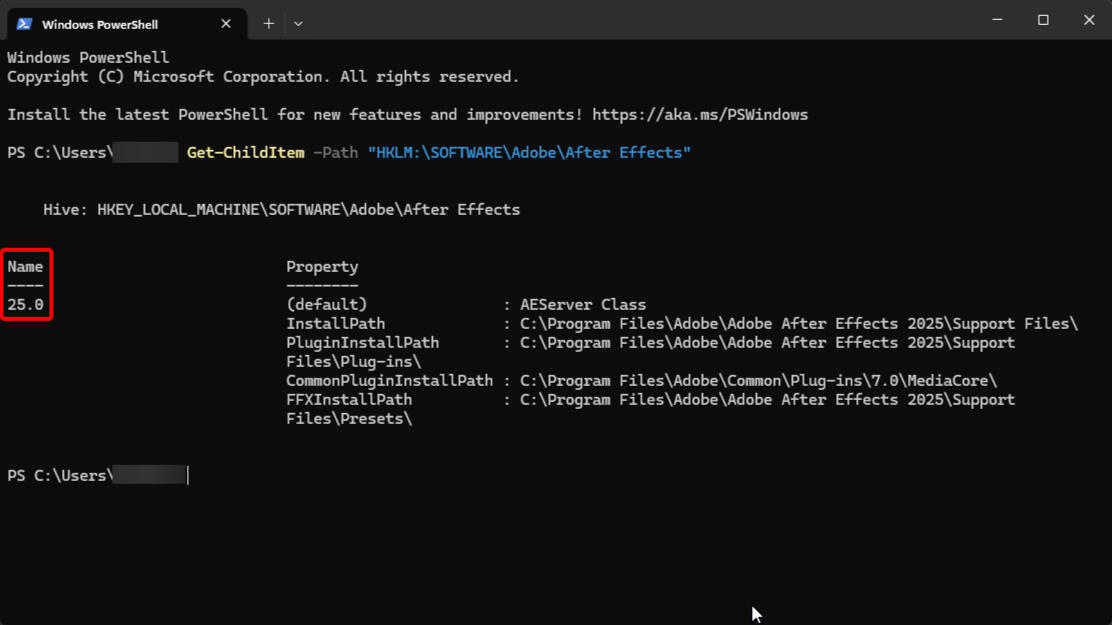
Change "XX.X" in the next step to this number.Open PowerShell as Administrator and paste this in:
Copy-Item -Path "HKLM:\SOFTWARE\Adobe\After Effects\XX.X" -Destination "HKLM:\SOFTWARE\Adobe\After Effects\28.0" -Recurseremember to change XX.X to your own after effects version, else this will not work!1. Run the plugin installers (Red Giant & Universe).
2. Close after effects & run the patch (service unlocker).
3. Once done, check if all installed in after effects, then run:
Remove-Item -Path "HKLM:\SOFTWARE\Adobe\After Effects\28.0" -Recursewindows - manual method1. Download and install after effects 2024 or above.
2. Run Red Giant installer and Universe installers.
3. Patch the plugins through the Service Unlocker.
4. Open your main after effects version and verify that it works.you can now delete after effects 2024+ if you wish.
mac
mac - manual method1. Download and install after effects 2024 or above.
2. Run Red Giant installer and Universe installers.
3. Patch the plugins via license.pkg
4. Open your main after effects version and verify that it works.You can now delete after effects 2024+ if you wish.
issue 2 - your plugins are unlicensed
1. Open the Maxon App and look in the top right corner — are you logged in (do you see your email?).
2. If you are logged in, log out and stay in RLM mode.
3. Run the patcher again once you have logged out.If it still shows as unlicensed despite being patched correctly (It would shows a green circle in maxon app, with the words "license found" next to the product), try clearing your cache in after effects.If you're on mac, ensure terminal has full disk access and re-run the license via System Settings > Privacy & Security > Full Disk Access > add terminal.If you're on windows* and use a third party anti-virus besides Windows Defender, ensure it isn't blocking the patch. Instructions will vary per anti-virus.
issue 3 - service unavailable / security alert
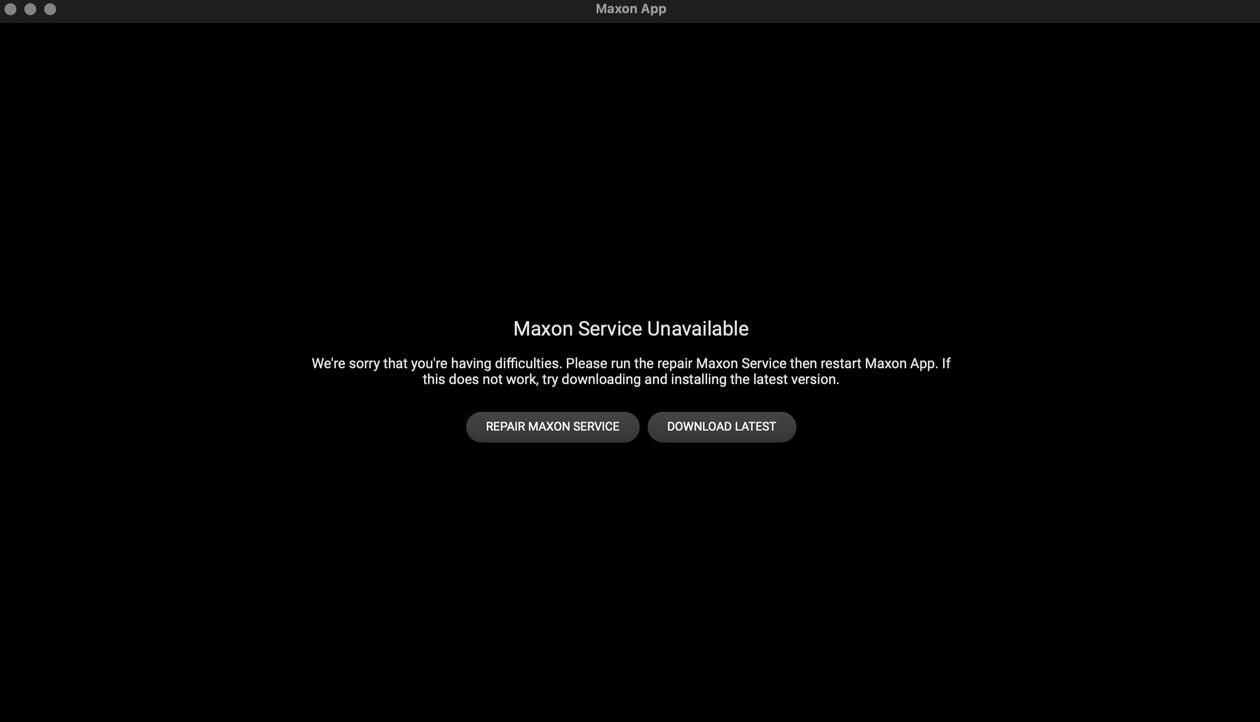
1.Completely uninstall maxon using the cleaners belowwindows: download here
mac: download here2. Run the maxon app installer and patch again.You can check manually if you have Red Giant Service here:
windows: C:\Program Files\Red Giant\Services
mac: /Library/Application Support/Red Giant/Services/
crimestape/adobe ungenuine
adobe ungenuine popups fix
All Adobe software includes a client called "Adobe Genuine Service" which periodically verifies whether installed Adobe apps are genuine or not, and if triggered, said software will be disabled after a 10 day grace period. That said, there's no need to panic as this is easily fixable.WindowsThe Basics...Don't be on a virtual IP address (VPN/Proxy) - it will circumvent local settings such as hosts file or firewall rules.
Make sure your firewall is enabled or else no rules will not be applied.
Don't have Creative Cloud installed. m0nkrus installers block communications to Adobe servers, and you require no account to use m0nkrus. It will very often break if you have Creative Cloud. Uninstall it here.Method 1 - Firewall RulesBlocking the targeted software from connecting to the internet is effective as it prevents Adobe Genuine Service from being able to verify your licensing status.
You can easily do this by setting up some firewall rules.Open "Windows Defender Firewall with Advanced Security".
Click “Outbound Rules” on the left side.
Click “New Rule..” on the right side. New Rule
Select your Adobe application(s), for example, "AfterFX.exe" for After Effects which is normally located at:C:\Program Files\Adobe\Adobe After Effects (version)\Support FilesSelect “Block the Connection” and name the rule whatever you want.
If the alert still appears, repeat the same steps but this time set up an "Inbound" rule.IMPORTANT
You must block the actual exe, not a shortcut in order for this to work. Shortcuts icons have arrows on them.
If you have a third party software managing your firewall (how do I check?), you'll have to block the app inside that software for this to work.Alternatively, you can automatically block all Adobe firewalls by running this script.
This is not recommended if you're paying for any Adobe software or have a paid plugin/script.Download the script (Download ZIP, top right)
Extract the zip folder
Open the folder and run the .bat as administrator.
Wait for it to complete, then you are done.Method #2 - Block IPsThis method consists of blocking individual IPs that are linked to GCC, rather than blocking the software's internet connection as a whole. This method may require occasional updating as Adobe goes under new IPs, but is very effective and only blocks what is necessary, allowing users to keep access to any online only tools.Open PowerShell as Administrator and paste this command:Stop-Process -Name "Adobe Desktop Service" -forceIf it says it cannot find the process, don't worry and continue to the next step.PowerShellOpen Notepad as Administrator, click "file" in the top left hand corner, then "Open".
Head to the following location and make sure to select "All file types (.)", NOT "text (.txt)":C:\Windows\System32\drivers\etcSelect the file named "host" and click open.hosts
5. On a blank line below all existing text, copy and paste the following list of IPs found at https://a.dove.isdumb.one/list.txt and save, done!Do not copy the text above the IP's. Start here.Method #3 - Uninstall AGSThis method will uninstall Adobe Genuine Service, however it's one of the methods that rarely work, but is worth trying.Open PowerShell as Admin and input:[System.Diagnostics.Process]::Start("C:\Program Files (x86)\Common Files\Adobe\AdobeGCClient\AdobeCleanUpUtility.exe")Follow the on-screen instructions. If that directory is absent, then the service won’t be installed. If absent, skip this method.Block AGS in firewall:Create Outbound rules on Adobe Genuine Service.Path of AGS:C:\Program Files (x86)\Common Files\Adobe\Adobe Desktop Common\AdobeGenuineClient\AGSService.exeC:\Program Files\Adobe\Acrobat DC\Acrobat\GC\AGSService.exeMacOS
Method #1 - Block IPs automaticallyDownload Adobe Genuine Pop-up Blocker and run it.This is a script that updates the hosts file with the Adobe blocklist periodically.
It runs in the background, and updates upon startup, and then every 30 minutes.
(If the blocklist url or internet isn't available, the hosts file is left untouched.)INFO
If you are doing this method, you do not need to do Method #3.
This is simply an automatic metod, while #3 is manual.Method #2 - Firewall RulesSince blocking outgoing connections isn't a feature available on MacOS, you will need to download a third party software in order to achieve this. Radio Silence is one of the best and easiest firewall apps for MacOS.Radio Silence normally cost 9 USD, however you can download a free version here, serial numbers are included in a text file in order to license the program.
Instructions (Radio Silence):Open Radio Silence, make sure "on" is toggled on.
Click "block application" and select your adobe app(s).
Click open, and you're done! You can close the app.If the alert still shows after using Radio Silence:Open Security & Privacy in Mac settings
Under Firewall select "Firewall Options"
Click the plus icon and select your Adobe software
Select "block incoming connections" and click OKMethod #3 - Manual IP blockOpen Terminal and paste this command:sudo nano /etc/hostsEnter your password when prompted. It will not show due to censorship.Use the arrow keys on your keyboard to move the cursor to the very bottom. On a blank line below all existing text, copy and paste the following list: https://a.dove.isdumb.one/list.txtDo not copy the text above the IP's. Start here.Press Ctrl+X, Input: Y, then press the return button to save.In a new terminal window, paste this command and click enter:sudo killall -HUP mDNSResponderRestart your computer and the alert should be gone.As stated previously, Adobe will sometimes switch addresses meaning that your "disabled" alert may re-appear later. Just repeat the same steps to include any new IPs in your host, as the list above is frequently updated.
crimestape/safety
safety
First and foremost, all of the files shared here were downloaded directly from satvrn.li in the lead up to their closure. They have not been modified in any way, retaining their original source, credits, and file password. We have no interest in ruining our reputation by doing so.Having been in the editing community for almost 10 years, we have witnessed the closure of multiple trusted editing sources such as LemonSquid, wxtcher, and renee. What has always followed these closures is a rise in unsafe resources aiming to capitalise on the needs of editors and take advantage of their trust, providing malware-filled files that leave the users with problems that are sometimes unfixable.With the positive reputation we've built for crimestape and our years of experience in finding safe sources, torrenting, cracking, and providing for the editing community, we knew we not only had the means to provide a full backup of satvrn, but also to maintain, update, and support the community with this.
crimestape/satvrn's safety disclosure
safety enquiries
Yes, the file you're interested in downloading is safe to install. While words alone shouldn't be taken as bulletproof, insight regarding our background and sources can provide peace of mind to beginners.We do not modify the files in any way aside from revising instructions in text files, All files can be compared by hashes to their original source. Our website serves as redistributing files for users who are less comfortable with torrenting.
All files are verified before being shared on the site using tools such as VirusTotal and Triage. All software is tested before sharing to ensure functionality. Some of our sources include Team V.R, Monter Group, Monkrus, and Team R2R. These groups have distributed repacks to the community for years and are well-trusted. A small selection of items are from our site admins and friends.False positives are not uncommon, especially in the case of Windows Defender. Repacked software involves modifying the original application which leaves room for false detections to occur. Any sort of, PUP (potentially unwanted program), Machine Learning (!ML), Rep/Reputation, and hacktool detections can typically be dismissed.
Self InitiativeGoogle is a free resource. Take initiative and research any concerns you might have. Scan the files with a more reputable anti-virus such as Malwarebytes or BitDefender, or run it in a virtual machine or sandboxed environment for more efficiency. Pirating comes with it's share of risk due to the nature of it, and if you're unable to determine the legitimacy of a file on your own, you may be better off paying for your software.
crimestape/windows
use a VPN to bypass pixeldrain's download limit
use 7-Zip on windows and Keka on mac to unzip files
the password for all files is star
click here for installation tutorials
software
adobe
blender
cinema 4d
davinci
fl studio
flowframes
magix
marvelous designer
topaz
touch
designer
plugins
adobe
plugins
ofx plugins
crimestape/windows ofx plugins
use a VPN to bypass pixeldrain's download limit
use 7-Zip on windows and Keka on mac to unzip files
the password for all files is star
click here for installation tutorials
plugins
borixfx
bcc
sapphire
mocha pro
maxon
red giant
bundle
revision fx
twixtor
rsmb
full bundle
film convert
bundle
nitrate pro
2.20
nitrate pro 2.20 is discontinued, however is the only version that supports magix vegas pro
bullet time
bullet time
dehancer pro
dehancer
pro
dust transition
dust
transition
ignite pro
ignite pro
crimestape/windows adobe plugins
use a VPN to bypass pixeldrain's download limit
use 7-Zip on windows and Keka on mac to unzip files
the password for all files is star
click here for installation tutorials
plugins
borix fx
bcc
sapphire
mocha pro
silhouette
maxon
red giant bundle
re:vision fx
twixtor
full bundle
video copilot
element 3d
heat distortion
pro shaders 1
pro shaders 2
optical flares
saber
twitch
vc colour vibrance
autokroma
autocodes
influx
full bundle
zaebects
jpeg glitch
modulation
physarum
signal
plugin everything
autofill
cartoon moblur
deep glow 1.1.0
deep glow 1.6.6
discotext
displacer pro
extrude
shadow studio
text box
text delay
quick chromatic aberration
element supply co
glitchify
polytrace
rowbyte
full bundle
pixel sorter
full bundle
ballpoint 1.2.1 crash fix
crossphere
full bundle
bokeh
mettle
full bundle
satori
full bundle
irrealix
full bundle
blace
depth
scanner
i ate
mushrooms
mask
prompter
filmconvert
full bundle
vimager
full bundle
bao
full bundle
baskl
full bundle
bgra entertainment
letter
mapper
retro dither
frischluft
fl plugins bundle
dragoy
bevelizer
tracery
andrewyang
full bundle
productioncrate
godrays &
lightwrap
laforge suite
misc
bendio
color llama
colour scheme generator
composite brush
cycorefx bundle
dehancer pro
despill maestro
diopter
digi effects suite
dust transistion
fluid map
furikake
hit film bundle
ignite pro
lockdown
memleak
neat video pro
newton 4
olm plugins
omino
pathblur fx
pixdither
pixel extender
super
luminal
stardust
the sauce code
varifont
xcloner
crimestape/mac ofx plugins
use a VPN to bypass pixeldrain's download limit
use 7-Zip on windows and Keka on mac to unzip files
the password for all files is star
click here for installation tutorials
plugins
borix fx
bcc
sapphire
mocha pro
maxon
red giant bundle
re:vision fx
full bundle
dehancer pro
dehancer pro
crimestape/mac adobe plugins
use a VPN to bypass pixeldrain's download limit
use 7-Zip on windows and Keka on mac to unzip files
the password for all files is star
click here for installation tutorials
plugins
borix fx
bcc
sapphire
mocha pro
maxon
red giant bundle
re:vision fx
full bundle
24
full bundle
23
video copilot
element 3d
heat distortion
pro shaders 1
pro shaders 2
optical flares
saber
twitch
vc colour vibrance
this twitch file is not supported by m1+ macs
autokroma
aftercodes
influx
plume pack
braw studio
aftercodecs does not support after effects 2026
zaebects
jpeg glitch
modulation
physarum
signal
plugin everything
autofill
cartoon moblur
deep glow 1.1.0
deep glow 1.6.6
discotext
displacer pro
extrude
shadow studio
text box
textdelay
quick chromatic aberration
element supply co
gltichify
polytrace
rowbyte
aura
fast bokeh
plexus
stipple
tv distortion bundle
pixel sorter
glasswork
hydro
chrome
motion mosh
pixel galactic
pixel sorter
mettle
flux
freeform
pro
mantra
shape
shifter
satori
blockswap
curve
tracer
pixelocybe
pixel melt
pixel
stretch
recursive mosaic
split blur
time bend
irrealix
gaussian splatting
loop flow
nebulosity
stretch
volna
blace
depth
scanner
i ate
mushrooms
mask
prompter
bao
boa
bones
dynamic
comp
layer
sculptor
mask brush
baskl
ai color
match
vision
misc
bendio
bullet time
colour scheme generator
composite brush
contrast up
crossphere bokeh
dehancer pro
diopter
film convert nitrate
lockdown
newton 4
omino
pixdither
speed x
super
luminal
stardust
tracery
varifont
crimestape/mac adobe software
use a VPN to bypass pixeldrain's download limit
use 7-Zip on windows and Keka on mac to unzip files
the password for all files is star
click here for installation tutorials
after effects
2026
2025
2024
2023
2022
2021
2020
after effects 2026 and 2025 are for m1+ macs only
premiere pro
2026
2025
2024
premiere pro 2026 and 2025 are for m1+ macs only
media encoder
2026
2025
2024
2023
2022
2021
2020
media encoder 2026 and 2025 are for m1+ macs only
photoshop
2026
2025
2024
photoshop 2026 and 2025 are for m1+ macs only
misc
animate
illustrator
indesign
lightroom
illustrator and indesign are for m1+ macs only
crimestape/windows adobe software
use a VPN to bypass pixeldrain's download limit
use 7-Zip on windows and Keka on mac to unzip files
the password for all files is star
click here for installation tutorials
after effects
2026
2025
2024
2023
2022
2021
2020
premiere pro
2026
2025
2024
media encoder
2026
2025
2024
2023
2022
2021
2020
photoshop
2026
2025
2024
misc
animate
audition
illustrator
incopy
indesign
lightroom
substance designer
substance modeler
substance painter